FROM mcr.microsoft.com/dotnet/aspnet:6.0 AS base
WORKDIR /app
EXPOSE 80
FROM mcr.microsoft.com/dotnet/sdk:6.0 AS build
WORKDIR /src
COPY . .
RUN dotnet publish -c Release -o /app/publish
FROM base AS final
WORKDIR /app
COPY –from=build /app/publish .
ENTRYPOINT [“dotnet”, “YourApp.dll”]
This Dockerfile is a multi-stage build for a .NET 6.0 ASP.NET application
🧠 Layman’s Explanation:
Imagine you’re baking a cake:
- You prepare the kitchen (base image).
- You mix and bake the cake (build stage).
- You serve the cake on a clean plate (final stage).
This Dockerfile does the same:
- It sets up the environment.
- Builds the app.
- Packages only the final result into a clean container.
💻 Technical Breakdown:
🔹 Stage 1: Base Image
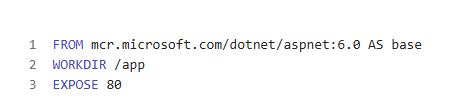
- Uses the ASP.NET runtime image (no SDK).
- Sets working directory to
/app. - Exposes port
80for incoming traffic.
This is the lightweight runtime environment where the app will eventually run.
Stage 2: Build Image
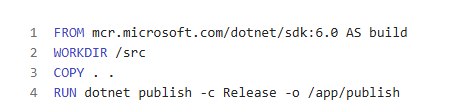
- Uses the SDK image (includes compilers and tools).
- Copies your source code into the container.
- Runs
dotnet publishto compile and prepare the app for deployment.
This is the build kitchen — it compiles the code and prepares the final dish.
Stage 3: Final Image
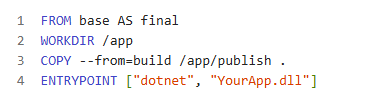
- Starts from the base image again (clean runtime).
- Copies the published output from the build stage.
- Sets the entry point to run your app.
This is the serving plate — clean, optimized, and ready to run.
✅ Benefits of Multi-Stage Build:
- Keeps the final image small and secure.
- Avoids shipping unnecessary build tools.
- Separates build and runtime environments.
Leave a Reply