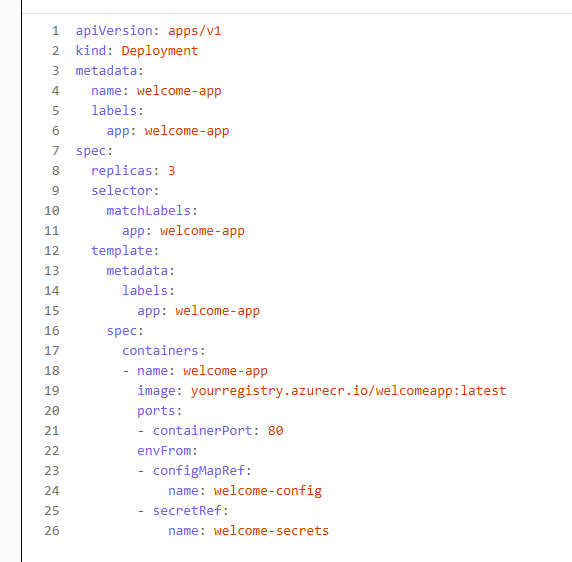
apiVersion: apps/v1
- What it does: Specifies the API version of the Kubernetes object you’re using.
- Why it’s used:
apps/v1is the stable version for managing Deployments in Kubernetes. It ensures compatibility with the Kubernetes API server.
kind: Deployment
- What it does: Declares the type of Kubernetes object.
- Why it’s used: A
Deploymentmanages a ReplicaSet and ensures the desired number of pod replicas are running and updated.
metadata:
- What it does: Provides metadata about the object.
- Why it’s used: Helps identify and organize the object.
name: welcome-app
Name of the Deployment. Used to reference this object.
labels:
app: welcome-app
Labels are key-value pairs used for grouping and selecting resources.
spec:
- What it does: Defines the desired state of the Deployment.
replicas: 3
Why it’s used: Specifies that 3 pods of the application should be running at all times.
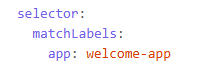
Why it’s used: Tells the Deployment which pods to manage, based on matching labels.
template:
- What it does: Describes the pod template used to create pods.
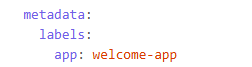
Why it’s used: Labels applied to pods created by this Deployment. Must match the selector above.
spec: (inside template)
- What it does: Defines the pod specification.
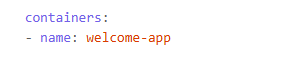
Why it’s used: Defines a container named welcome-app inside the pod.

Why it’s used: Specifies the container image to use. This one is pulled from an Azure Container Registry.
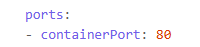
Why it’s used: Exposes port 80 inside the container, typically for HTTP traffic.
envFrom: (under container)
- What it does: Loads environment variables into the container.

Why it’s used: Loads all key-value pairs from the welcome-config ConfigMap as environment variables.
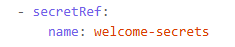
- Why it’s used: Loads sensitive data (like passwords, API keys) from the
welcome-secretsSecret as environment variables.
✅ Summary
This Deployment ensures:
- 3 replicas of the
welcome-apppod are always running. - Each pod runs a container from a specified image.
- Environment variables are injected from a ConfigMap and a Secret.
- Port 80 is exposed for incoming traffic.
Leave a Reply