Workload Resources
1. Pod
👶 Layman’s View:
Like a tiffin box — it holds one or more containers (dishes) that work together.
💻 Technical Use:
- The smallest unit in Kubernetes.
- Runs one or more containers with shared storage/network.
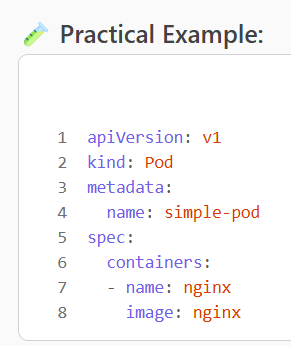
Used for testing or running a single microservice.
🧱 2. Deployment
👶 Layman’s View:
Like a food delivery app — it ensures your food (app) is always available and updates smoothly.
💻 Technical Use:
- Manages stateless apps.
- Handles rolling updates, scaling, and self-healing.
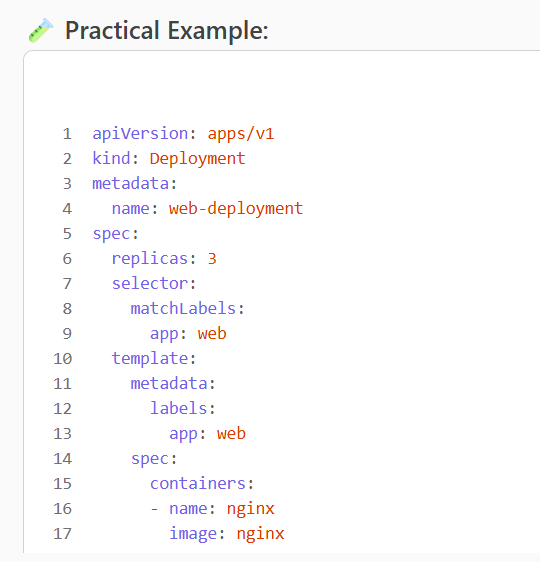
Used for web servers, APIs, frontends.
🧱 3. StatefulSet
👶 Layman’s View:
Like a bank locker — each locker (Pod) has a fixed ID and stores data that doesn’t get lost.
💻 Technical Use:
- Manages stateful apps like databases.
- Each Pod has a stable identity and persistent storage.
apiVersion: apps/v1
kind: StatefulSet
metadata:
name: db
spec:
serviceName: “db”
replicas: 2
selector:
matchLabels:
app: db
template:
metadata:
labels:
app: db
spec:
containers:
– name: postgres
image: postgres
volumeMounts:
– name: db-storage
mountPath: /var/lib/postgresql/data
volumeClaimTemplates:
– metadata:
name: db-storage
spec:
accessModes: [“ReadWriteOnce”]
resources:
requests:
storage: 5Gi
Used for PostgreSQL, MongoDB, Kafka.
🧱 4. DaemonSet
👶 Layman’s View:
Like a security guard on every floor — ensures each node has a copy of the Pod.
💻 Technical Use:
- Runs a Pod on every node.
- Used for monitoring, logging, or network agents.
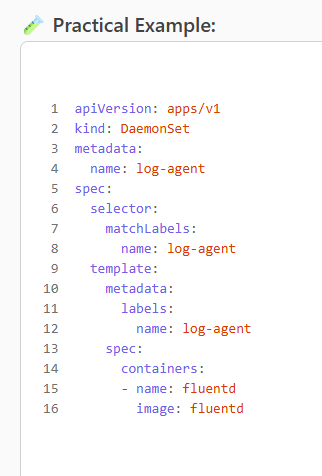
Used for Fluentd, Prometheus Node Exporter.
🧱 5. ReplicaSet
👶 Layman’s View:
Like a photocopier — ensures a fixed number of copies (Pods) are always running.
💻 Technical Use:
- Ensures a specified number of Pods are running.
- Usually managed by Deployments.
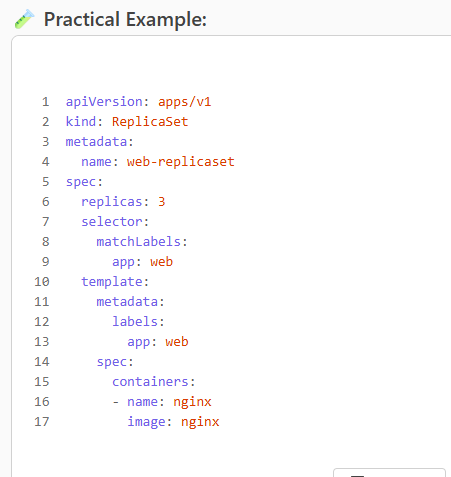
Used when you need manual control over replicas.
🧱 6. Job
👶 Layman’s View:
Like a plumber — comes in, fixes something, and leaves.
💻 Technical Use:
- Runs a one-time task to completion.
- Doesn’t restart unless failed.
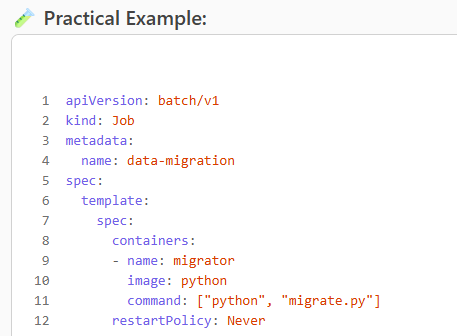
Used for data migration, cleanup tasks.
🧱 7. CronJob
👶 Layman’s View:
Like a daily alarm — triggers a task at a scheduled time.
💻 Technical Use:
- Runs scheduled jobs (e.g., backups, reports).
- Uses cron syntax for timing.
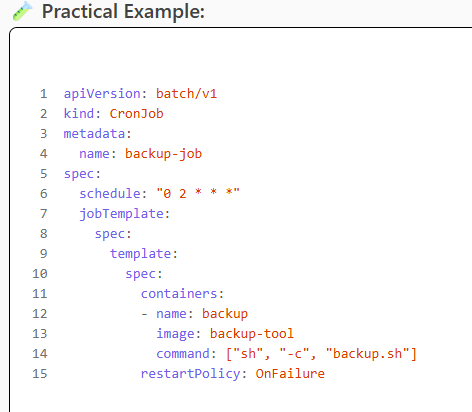
Used for backups, report generation.
Leave a Reply